UniPDF v5 Released: Fast Web View and PDF/UA Accessibility



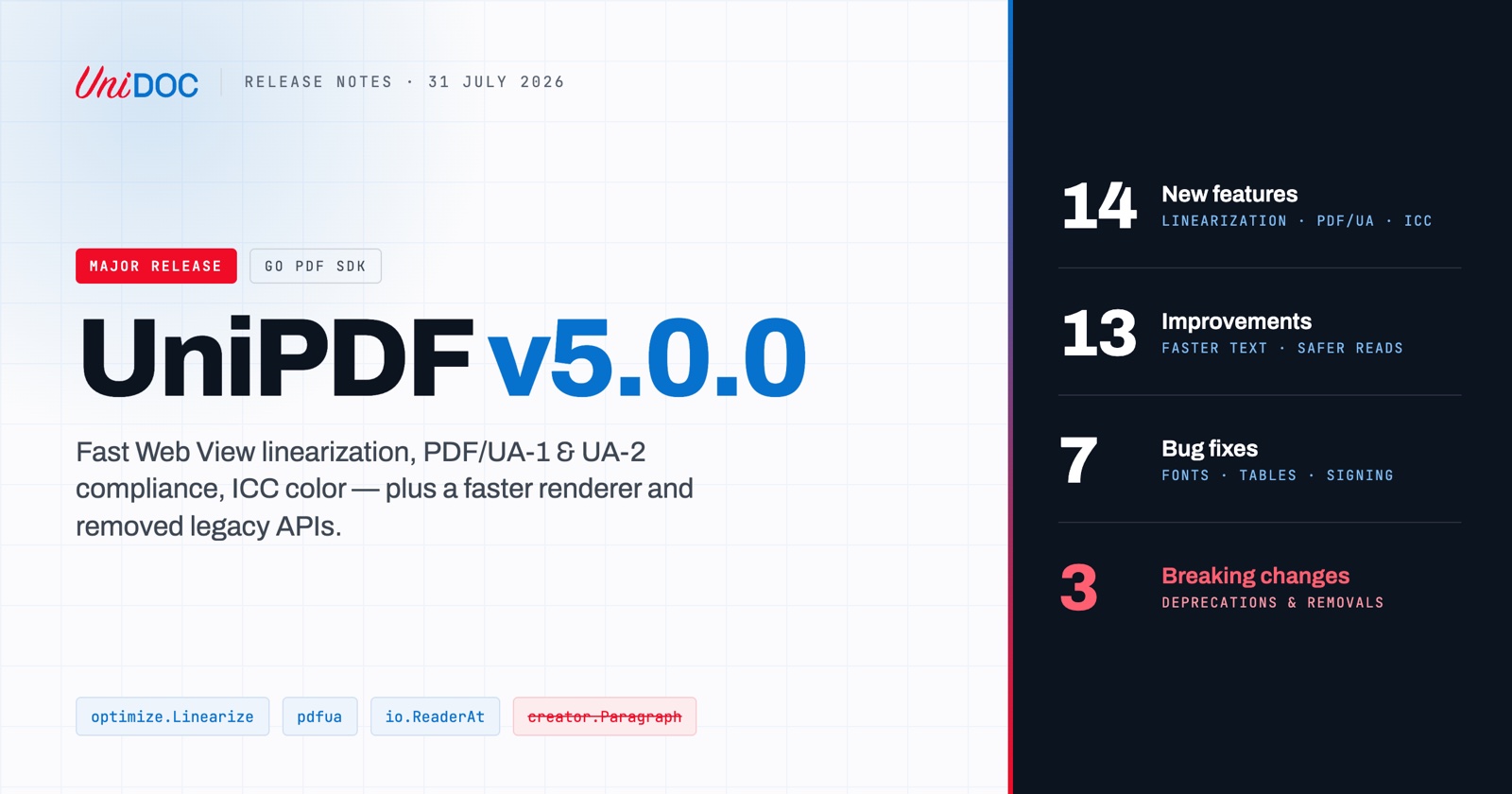
UniPDF v5.0.0 is out. This is a new major version of our PDF library for Go, and it lands 14 new features, 13 improvements, 7 bug fixes, and 3 breaking changes. The work behind it centered on three themes: document accessibility (PDF/UA), web-optimized PDFs (linearization), and performance — plus a cleaner, more type-safe API that made a major version bump the right vehicle.
UniPDF v5 is available now:
go get github.com/unidoc/unipdf/v5
PDF/UA accessibility: validate and auto-fix
Accessibility requirements are increasingly mandated for both public-sector and private-sector documents, the European Accessibility Act being the most prominent recent example. UniPDF v5 ships a complete PDF/UA toolchain:
PDF/UA-1 (ISO 14289-1) validation via the new
pdfuapackage, with verifiers covering document metadata, structure trees, fonts, annotations, forms, and content tagging — aligned with the industry-standard veraPDF validator.Automatic compliance fixes: an applier that mechanically repairs common PDF/UA violations in existing documents.
PDF/UA-2 (ISO 14289-2) support, including PDF 2.0 structure namespaces and namespace-aware automatic tagging in the creator — so documents you build with UniPDF can be born accessible.
Full
pdfuaidXMP metadata support (part,rev,amd,corr).
If you already work with archival standards, this sits alongside the existing PDF/A support — see what PDF/A is and when you need it for how the two conformance families differ.
PDF linearization (Fast Web View)
UniPDF v5 can now write linearized PDFs, the format optimization that lets browsers and viewers display the first page while the rest of the document is still downloading. A single call does the job:
optimize.Linearize(...)
The output is recognized as “Fast Web View” by Adobe Acrobat, and a companion linearization validator lets you verify compliance of any PDF file. Linearization composes with object streams and encryption, so you don’t have to choose between a small file, an encrypted file, and a fast-loading one.
New to the format? Our primer on what a linearized PDF is covers why the byte layout matters for documents served over the web.
Color and rendering features
ICC colorspace support, plus preservation of ICC color profiles when embedding images — color-managed workflows now survive round-trips through UniPDF.
Transparency groups with the Multiply blend mode in the renderer.
Color gradient support in
StyledParagraphfor richer text styling in the creator.List-box (choice field) appearance generation in the annotator, rounding out form-field appearance support.
API additions
New
Direct()andEquals()methods on thePdfObjectinterface make it easier to work with indirect references and compare object graphs.StyledParagraph,Grid, andTablenow expose their content types and fields, making creator output introspectable.
Performance
Performance was a first-class goal of this release, and the numbers are substantial:
Rendering allocations cut by 67%. Buffer pooling and font-face caching reduced allocated bytes on our 61-document render corpus from 74.0 GB to 24.4 GB, with bit-identical output. Less allocation means less GC pressure and better throughput in high-volume rendering services — a good complement to the tuning described in using GOMEMLIMIT with UniPDF.
Faster text rendering. A new glyph cache and an allocation-free blit fast path speed up the most common case — horizontal fill text — while leaving all other text paths untouched.
Up to 2.8× faster writes with
SkipObjectCopy. For the common one-shot pipeline (load → optimize/encrypt → write → discard), the writer can now skip its defensive deep copy of the source object graph. On a 1000-page document, write time drops from 32.4 ms to 11.7 ms and memory from 9.7 MB to 3.4 MB. It is opt-in viaReaderToWriterOpts.SkipObjectCopyorPdfWriter.SetSkipObjectCopy, with one documented trade-off: the source reader must not be reused afterWrite.A rearchitected I/O layer. The parser and reader moved from
io.ReadSeekertoio.ReaderAt, removing seek-position state and enabling safer concurrent access to the same document.
We validated this release against a large real-world corpus: over 231,000 PDFs from the govdocs1 dataset processed with a 99.96% success rate.
Improvements across the board
Better font fidelity: charcode/GID/rune separation in font handling, correct bold/italic matching when falling back to system fonts, and a fix for wrong font selection when two font dictionaries share a
BaseFont.Better tables: long cell content handling with splitting of oversized row-spanning cells, layout fidelity fixes for row-spanning cells, and fixes for multi-column tables crossing page boundaries.
More tolerant parsing: all PDF date fields after the 4-digit year are now optional in
ParsePdfTime, matching what real-world documents actually contain.Healthier dependencies: the unmaintained
go-xmplibrary was replaced with a maintained fork, and the archivedgorilla/i18npackage was replaced by an internal line-breaking implementation.Plus fixes for CIDFontType2 rendering with non-identity
CIDToGIDMap, tagged-content structure tree issues, radial shading fills, form-field flattening, and stale linearization dictionaries when signing.
The full list is in the v5.0.0 release notes.
Migrating from v4
For most users, migration is a one-line change. Update your import path (and go.mod):
// Before
import "github.com/unidoc/unipdf/v4/model"

// After
import "github.com/unidoc/unipdf/v5/model"
Then check the following breaking changes — most codebases will hit at most one or two.
1. creator.Paragraph is gone, use StyledParagraph
The Paragraph component, deprecated since UniPDF v4, has been removed along with Creator.NewParagraph. StyledParagraph is a superset:
// Before
p := c.NewParagraph("Hello")

// After
p := c.NewStyledParagraph()
p.SetText("Hello")
2. PdfColor is now a typed interface
APIs that previously accepted or returned interface{} for colors now use the typed PdfColor interface. If you were type-asserting colors, your code likely gets simpler; if you were passing arbitrary values, the compiler will now catch it.
3. Deprecated functions have been removed
ContentStreamParser.ExtractTextandPageText.ToText→ use theextractorpackage.NewCompositePdfFontFromTTFFile/FromTTF/FromOTFFile/FromOTF→ use the unified font loading APIs (model.NewPdfFontFromTTFFile, etc.).PdfFont.CharcodesToUnicodeWithStats→ useCharcodesToStrings.
No license changes. Your existing UniDoc license key works with v5 unchanged.
v4 remains available and will continue to receive critical fixes for a transition period, but new features land in v5 only. We recommend upgrading at your next opportunity.
Getting UniPDF v5
Install:
go get github.com/unidoc/unipdf/v5Release notes: github.com/unidoc/unipdf/releases/tag/v5.0.0
Examples: github.com/unidoc/unipdf-examples
Documentation: docs.unidoc.io
Ready to build accessible, web-optimized PDFs in Go? Contact us for more details, or if you’re new to UniPDF, start your 14-day free trial today.