UniPDF Security Update: What Changed and What You Must Do



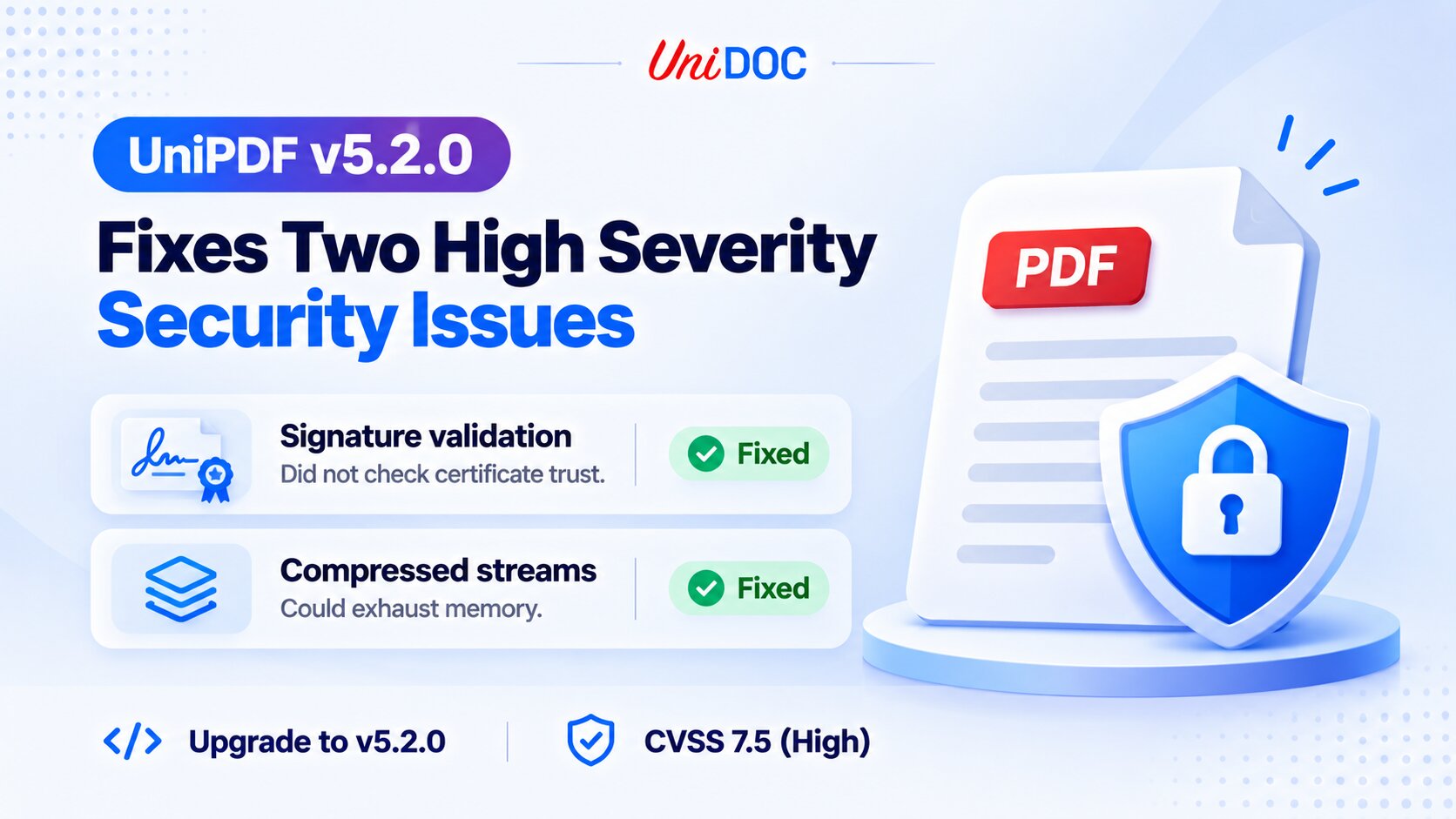
UniPDF v5.2.0 fixes two high severity security issues, both rated CVSS 7.5. Signature validation trusted certificates taken from the PDF itself, and compressed streams could exhaust memory. We published both advisories on October 24, and the fix shipped in github.com/unidoc/unipdf/v5 v5.2.0 on October 20.
If your application opens PDFs that come from outside your organization, upgrade. For the signature issue, upgrading is not enough on its own: you also need to change how you call signature validation.
What You Need to Do
- Upgrade to UniPDF v5.2.0 (github.com/unidoc/unipdf/v5).
- If you validate signatures: switch from
ValidateSignaturestoValidateSignaturesWithOptsand reject any result whereIsTrustedis false. Upgrading alone does not fix this one. - If you process PDFs from untrusted sources: set
MaxDecodedStreamSizeandMaxDecodedTotalSizeto fit your memory budget.
go get github.com/unidoc/unipdf/[email protected]
Thanks to the GitHub users nogie-dev and priyankn, who reported these issues to us privately and gave us time to ship a fix before disclosure.
Signature Validation Did Not Check Certificate Trust
Advisory: GHSA-h4pv-x6fp-rh2w
PdfReader.ValidateSignatures returns a SignatureValidationResult for each signature in a document. Before v5.2.0, IsVerified was set to true whenever the signature matched the signed bytes and the signer’s public key. The problem was where that key came from. The handlers read the certificate from the PDF itself and never asked whether it chained to a certificate authority you trust. Revocation and key usage were never checked, and two of the three handlers accepted an expired certificate as well.
That means anyone could create a self-signed certificate for “Chief Financial Officer, VictimCorp”, sign a contract with it, and UniPDF reported IsVerified: true. The result did contain the text “Untrusted certificate”, but code that only checked IsVerified accepted the document. All three built-in handlers had the same gap: adbe.x509.rsa_sha1, adbe.pkcs7.detached and ETSI PAdES.
The cryptography itself was never broken. The signature really did match the key in the file. What was missing was any decision about whether that key belongs to someone you trust.
What Changed in Signature Validation
IsVerified keeps its meaning and is now documented as an integrity check only. A true value tells you the signed bytes have not been modified. It says nothing about who signed them.
Trust is a separate result. You request it with ValidateSignaturesWithOpts and pass the root certificates you accept:
roots := x509.NewCertPool()
roots.AddCert(issuerCert)

results, err := reader.ValidateSignaturesWithOpts(handlers, &model.SignatureValidationOpts{
	Roots:      roots,
	Revocation: model.RevocationCheckOffline,
})
if err != nil {
	return err
}
for _, r := range results {
	if !r.IsVerified || !r.IsTrusted {
		return fmt.Errorf("signature rejected: %v", r.TrustErrors)
	}
}
Certificates embedded in the document are used as intermediates only, never as trust anchors. The chain, validity period and key usage are checked on the certificate that actually verified the signature, so the unauthenticated /Cert entry has no say in the result. The validation time is never taken from the /M date in the signature dictionary, because the signer picks that date. A signature timestamp counts only when its timestamp authority chains to your roots and has not been revoked.
The result also reports TrustChain, TrustErrors, RevocationStatus and ValidatedAt, so you can log why a signature was rejected.
Revocation checking is opt-in. The default performs no revocation check and opens no network connections. RevocationCheckOffline uses the CRLs and OCSP responses embedded in the document, and RevocationCheckOnline also queries the CRL and OCSP endpoints named in the certificates.
Don’t pass x509.SystemCertPool() as Roots. That pool is meant for TLS, and using it here would make the owner of any website certificate a trusted document signer. Use only the CA certificates you accept for document signing.
Why Upgrading Alone Is Not Enough
ValidateSignatures still exists and still checks integrity only. Every result it returns now has IsTrusted: false and the reason no trust roots configured in TrustErrors. If your code calls ValidateSignatures and reads IsVerified, it behaves exactly as it did before the upgrade, and it will still accept a forged signature.
Search your code for ValidateSignatures and IsVerified, switch those call sites to ValidateSignaturesWithOpts, and reject any result where IsTrusted is false.
The guide Validating Signer Trust and Revocation covers trust roots, validation time and revocation in more detail. Runnable code is in the signatures/validation folder of unipdf-examples. Start with pdf_sign_validate_trust.go.
Compressed Streams Could Exhaust Memory
Advisory: GHSA-2x38-rm6v-5hcj
Most PDF streams are compressed, usually with Flate. UniPDF checked the compressed /Length of a stream against the file, but nothing limited how large the stream could get after decompression.
The reporter’s proof of concept is a valid one-page PDF of 49 KB. Its only content stream decompresses to 16 MiB of ordinary PDF comments. In a container with a 128 MiB memory limit, processing that file got the process killed for running out of memory. Page content access, text and image extraction and rendering all go through the same decoder, so any service that processes uploaded PDFs was exposed. A bigger stream or a few concurrent requests make it worse.
What Changed in Stream Decoding
Decoded output is now bounded. Every built-in decoder (Flate, LZW, RunLength, ASCIIHex, ASCII85, CCITTFax, DCT and JBIG2) stops with core.ErrDecodedSizeLimitExceeded once its output passes the limit. Each stage of a filter chain is checked separately, so a Flate stream wrapped in another Flate stream also stops at the limit.
The error comes back from core.DecodeStream, PdfPage.GetAllContentStreams, text and image extraction and render.ImageDevice.RenderWithOpts. Match it with errors.Is.
There are two limits:
ReaderOpts.MaxDecodedStreamSizebounds a single stream, or a single stage of a filter chain. The default is 256 MiB.core.SetDefaultMaxDecodedStreamSizechanges the default for streams decoded without reader options, such as streams you build in memory.ReaderOpts.MaxDecodedTotalSizebounds everything one document decodes, including repeated decodes of the same stream. It is off by default.
The per-stream default protects every caller with no code change. It does not stop a document that references one large stream many times, because each decode stays under the per-stream limit. If you process PDFs from untrusted sources, set both limits to fit your memory budget:
reader, err := model.NewPdfReaderWithOpts(f, &model.ReaderOpts{
	MaxDecodedStreamSize: 64 << 20,
	MaxDecodedTotalSize:  256 << 20,
})
if err != nil {
	return err
}
page, err := reader.GetPage(1)
if err != nil {
	return err
}
img, err := render.NewImageDevice().RenderWithOpts(page, true)
if errors.Is(err, core.ErrDecodedSizeLimitExceeded) {
	return fmt.Errorf("rejected: %w", err)
}
A few things to keep in mind when you pick the numbers. Peak memory while decoding one stream is about twice the per-stream limit, because the output buffer grows by doubling. A 600 dpi A3 CMYK scan decodes to about 279 MB, which the 256 MiB default rejects, so raise the limit if you handle images that large. The limits don’t apply to decoders registered with core.RegisterCustomStreamEncoder. Inline images in content streams use the package default per image and are not counted against the document total.
The limits turn an out-of-memory crash into an error you can handle. They don’t replace isolation. Memory limits, timeouts and input size caps on PDF workers are still worth having.
Affected Versions
Every UniPDF release before 5.2.0 is affected by both issues, v3 and v4 included. Update to github.com/unidoc/unipdf/v5 v5.2.0 or later. For most code the move from v4 to v5 is an import path change plus a short list of breaking changes, covered in the migration section of the UniPDF v5 release post.
If you can’t upgrade right away, each advisory has a Workarounds section. In short, don’t treat IsVerified as proof of who signed a document. Verify the signer certificate yourself against your own root pool with x509.Certificate.Verify. For decoding, run PDF processing in a separate worker with a memory limit and a timeout, and cap the size and number of files you accept per request. A file that exhausts memory then takes down one worker and not the whole service.
The full list of changes in this release is in the v5.2.0 release notes.
Frequently Asked Questions
Is upgrading to UniPDF v5.2.0 enough to fix both issues?
For the memory-exhaustion issue, yes. The new 256 MiB per-stream limit is on by default, so every caller is protected after the upgrade with no code change. For the signature validation issue, no: you also have to change how you call signature validation, because the old behavior stays in place until you do.
How do I check who actually signed a PDF in Go?
Call ValidateSignaturesWithOpts and pass the root certificates you accept, then reject any result where IsTrusted is false. UniPDF checks the certificate chain, validity period, and key usage against your roots, and reports TrustChain, TrustErrors, RevocationStatus, and ValidatedAt so you can log exactly why a signature was rejected.
How do I protect my service from malicious PDFs that exhaust memory?
Set ReaderOpts.MaxDecodedStreamSize, which bounds a single stream and defaults to 256 MiB, and ReaderOpts.MaxDecodedTotalSize, which bounds everything a document decodes and is off by default. When a limit is exceeded, catch core.ErrDecodedSizeLimitExceeded with errors.Is. Keep in mind that peak memory while decoding a stream is roughly twice the per-stream limit.
What should I do if I can’t upgrade to v5.2.0 right away?
Each advisory has a Workarounds section. For signatures, verify the signer certificate yourself against your own root pool with x509.Certificate.Verify instead of trusting IsVerified. For decoding, run PDF processing in a separate worker with a memory limit and a timeout, and cap the size and number of files you accept per request so a bad file takes down one worker, not the whole service.
Reporting a Vulnerability
If you find a security issue in UniPDF, report it privately through GitHub’s private vulnerability reporting on the unipdf repository. Please don’t open a public issue. We’ll work with you on a fix and credit you in the advisory.