When Open-Source Go PDF Libraries Fail: A Migration Guide



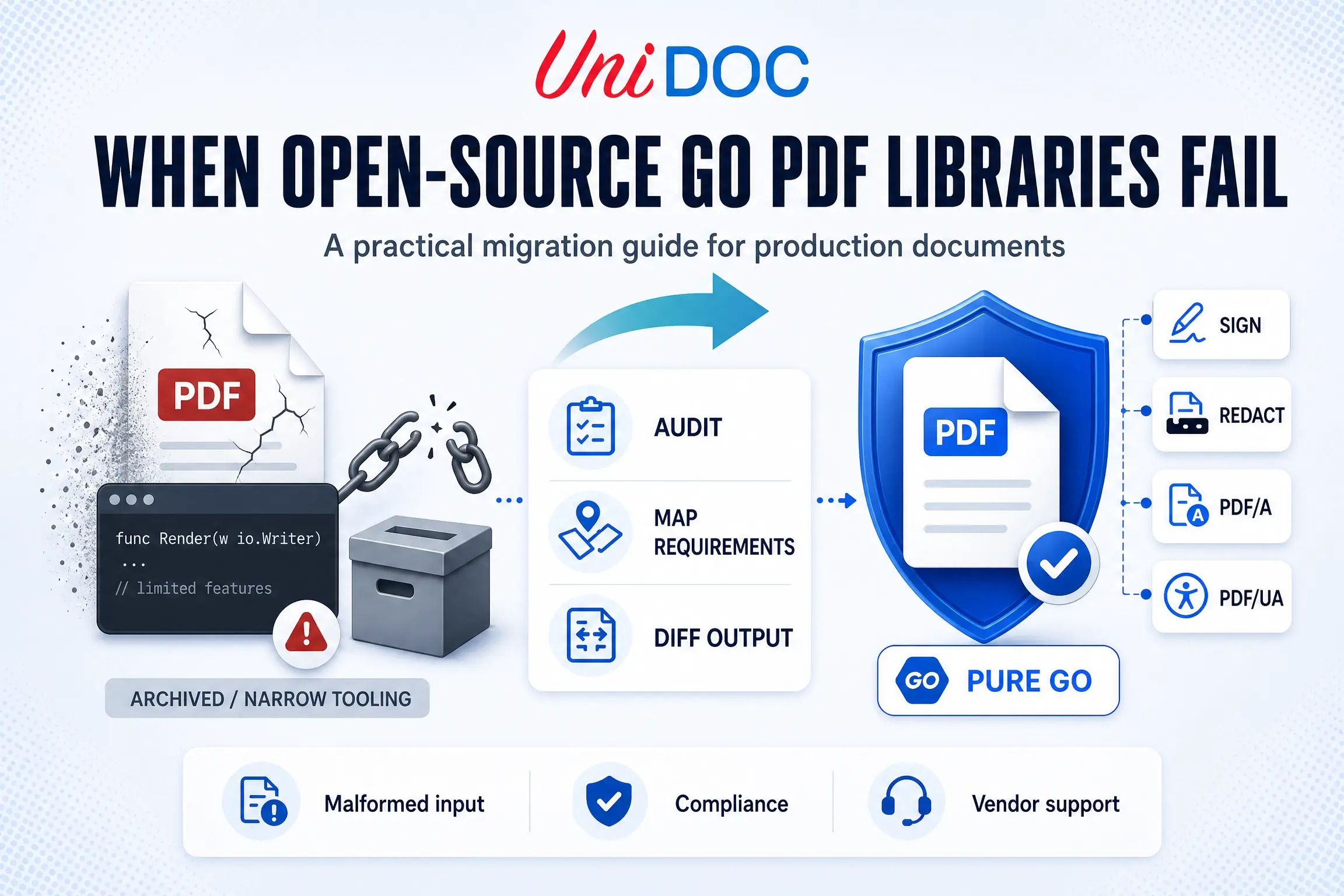
Most Go teams start their PDF work with a free library, and for a while it holds. Then a requirement lands that the library was never built for: a digital signature a regulator will accept, a redaction that must actually remove the underlying text, a malformed upload from a real user that the parser chokes on, or a security team asking who they are supposed to call when a CVE lands in a dependency with no vendor behind it. Sometimes the trigger is quieter still: an archive banner appears on the exact library you ship in production.
This guide is about that moment. It covers the current state of the open-source Go PDF ecosystem, why these libraries tend to fail once documents touch revenue or compliance, and how to migrate to a supported alternative without a rushed rewrite. The examples target UniPDF, but the migration sequence applies to any commercial library you evaluate.
The State of Open-Source Go PDF Libraries in 2026
The first thing to understand is that the open-source Go PDF landscape is more fragmented than a search result suggests. There is no single free library that spans the whole document lifecycle. Each one covers a slice, and the two most widely recommended generators are no longer maintained.
jung-kurt/gofpdfwas the default recommendation for years. It was archived by its owner on November 13, 2021, and is now read-only; its README states plainly that it will not be maintained. It is MIT-licensed, pure Go, and generation-only: it produces PDFs but cannot parse, read, or extract from existing ones. It receives no bug fixes and no security patches.go-pdf/fpdf, the community fork that inherited gofpdf’s users, has since met the same fate: the repository was archived on March 4, 2025, is read-only, and its README recommends looking elsewhere. The fork that was supposed to be the safe continuation is itself a dead end.signintech/gopdfis actively maintained and a reasonable choice for low-level PDF generation (text, images, drawing). It can import existing pages for overlays, but it is not a text-extraction or content-parsing library, so it solves one part of the problem.pdfcpuis actively maintained under the pdfcpu organization, Apache-2.0 licensed, and supports PDF versions through PDF 2.0. It is important to be precise about what it is: a PDF processing and manipulation tool (validation, optimization, encryption, signing, page assembly, content extraction), not a rich content-creation or layout library. It is excellent within that scope and should not be mistaken for a generator, nor grouped with the archived projects above.ledongthuc/pdfand similar packages are narrow, extraction-focused readers. Useful for pulling text out of well-formed PDFs, not for building or signing them.- PDFium-based and MuPDF-based wrappers (for example
klippa-app/go-pdfiumandgen2brain/go-fitz) expose powerful rendering and extraction, but they wrap C libraries. That means either CGO and a native dependency, or a bundled WebAssembly runtime, rather than the pure-Go single-binary model, and MuPDF-based options additionally carry AGPL licensing that many commercial teams cannot accept. Either way, you reintroduce build and licensing surface a Go team usually chose Go to avoid.
The picture is easier to read as a table. “Signatures” here means creating them, and “PDF/A” means producing conformant archival output:
| Library | Generation | Parse / extract | Signatures | Redaction | PDF/A | Pure Go | License |
|---|---|---|---|---|---|---|---|
| jung-kurt/gofpdf (archived) | Yes | No | No | No | No | Yes | MIT |
| go-pdf/fpdf (archived) | Yes | No | No | No | No | Yes | MIT |
| signintech/gopdf | Yes | No | No | No | No | Yes | MIT |
| pdfcpu | No | Yes | Basic | No | No | Yes | Apache-2.0 |
| PDFium / MuPDF wrappers | No | Yes | Varies | No | No | No | BSD / AGPL |
| UniPDF | Yes | Yes | PAdES | Yes | Yes | Yes | Commercial (UniDoc EULA) |
The pattern is clear: the maintained pure-Go options are single-purpose, and the full-featured options are not pure Go. No free library combines reliable generation, robust parsing of real-world files, forms, redaction, PDF/A and PDF/UA, digital signatures, and a named vendor you can put in a security review.
Why Open-Source Go PDF Libraries Fail in Production
The failure is rarely the library being bad. It is the library being asked to do something production demands that it was never scoped for. The recurring reasons:
- Malformed real-world input. The PDFs your users actually upload are not the clean, spec-compliant files a hobby library was tested against. Broken cross-reference tables, truncated streams, and off-spec producers are the norm, and a thin parser either panics or silently produces wrong output.
- Feature ceilings. True redaction, PDF/A archival output, and PDF/UA accessibility are absent across the free options, and where signing exists it is limited.
pdfcpu, for example, can sign and validate, but its own project notes are explicit that it does not claim complete legal, eIDAS, or long-term-validation (LTV) support, which is exactly what a regulated signature workflow needs. The archived generators cannot read or extract from existing PDFs at all. When you hit the ceiling, there is no configuration flag that gets you past it. - No security response. An archived or single-maintainer project has no CVE tracking, no disclosure process, and no SLA. When a vulnerability surfaces, there is no one accountable to patch it on a timeline.
- Nothing to put in a vendor risk assessment. A GitHub URL is not a vendor. Enterprise procurement and security review need a named legal entity that can appear in a software bill of materials and be reached under contract. Anonymous maintainers cannot fill that box.
- Hidden build complexity. The wrappers that do offer full features wrap C libraries through CGO and a native dependency, or ship a bundled runtime, which complicates cross-compilation, container builds, and the dependency audit, and can block procurement on its own.
When Abandonment Becomes a Compliance Problem
For a long time, running an unmaintained dependency was a quiet technical risk. Under the EU Cyber Resilience Act (CRA), it is becoming a documented compliance one.
The CRA entered into force on December 10, 2024, and it phases in over two dates that are worth keeping separate. Its vulnerability and incident reporting obligations under Article 14 apply first, from September 11, 2026: manufacturers of products with digital elements placed on the EU market must report actively exploited vulnerabilities and severe incidents, with an early warning within 24 hours, a fuller notification within 72 hours, and a final report within 14 days of a corrective measure becoming available for an actively exploited vulnerability, or within one month for a severe incident. The Act’s full essential requirements, including secure-by-design vulnerability handling and the software bill of materials obligation, apply later, from December 11, 2027.
The connection to your PDF library is direct, but it is worth stating precisely. You, as the manufacturer placing the product on the market, hold these obligations; choosing a commercial library does not transfer them to the vendor. What a supported vendor changes is your ability to meet them. If a component you ship carries a known, exploited vulnerability and it lives in an archived repository with no maintainer, you have no upstream to produce a fix and no security process to point to. An archived dependency sitting in a revenue, compliance, or signature path belongs in your risk register today. A named vendor with a public security program and an SLA does not discharge your duty, but it is what lets you actually satisfy it when a regulator or customer asks.
A Practical Migration Path
Migration does not have to be a big-bang rewrite. Run it in the order below. The examples use UniPDF as the target.
Step 1: Audit your dependency graph
Start by finding every PDF-related dependency in your module graph, flagging anything archived, and checking for known vulnerabilities. This is fast, and it is what builds the case for the work.
# List every dependency whose path mentions a known PDF library.
go list -m all | grep -iE 'gofpdf|go-pdf|gopdf|pdfcpu|ledongthuc|unipdf|pdfium|go-fitz'

# See exactly why an archived library is still in your build.
go mod why github.com/jung-kurt/gofpdf

# Check for known, reachable vulnerabilities in your dependencies.
go install golang.org/x/vuln/cmd/govulncheck@latest
govulncheck ./...
grep finds the names; govulncheck finds the vulnerabilities that are actually reachable from your code, which is far more persuasive in a risk register. If gofpdf or go-pdf/fpdf appears anywhere near a business-critical document path, record it as an unmaintained dependency now, before any code changes.
Step 2: Map your feature requirements
Before touching code, list what your current workflow produces and what it will need within the next year. This mapping is what prevents a migration that hits parity on today’s features but misses a requirement the business already had.
- Document types: statements, invoices, contracts, certificates, reports.
- Capabilities: generation, text extraction, form fill and flatten, redaction, digital signatures.
- Compliance targets: PAdES signature levels (B, T, LT, LTA), PDF/A for archival, PDF/UA for accessibility.
- Deployment: containers, air-gapped or offline, cross-compiled binaries.
Accessibility deserves a specific note: under the European Accessibility Act, which has applied since June 28, 2025, many consumer-facing documents in the EU must meet accessibility requirements. The Act references the EN 301 549 standard rather than naming a PDF format, but PDF/UA is the practical way to produce conformant, tagged PDFs. If your documents fall in scope, PDF/UA-conformant output is a requirement, not a nicety.
Step 3: Set up licensing
UniPDF requires a license key. A free metered key from cloud.unidoc.io suits evaluation and cloud workloads and reports usage over the network. For regulated or air-gapped environments, an offline key validates locally with no outbound network calls; offline keys are available through unidoc.io/pricing. Set whichever fits your deployment once at startup.
// license.go
package main

import (
    "os"

    "github.com/unidoc/unipdf/v5/common/license"
)

func init() {
    // Metered key: good for evaluation and cloud deployments.
    if err := license.SetMeteredKey(os.Getenv("UNIDOC_LICENSE_API_KEY")); err != nil {
        panic(err)
    }

    // For air-gapped or regulated deployments, load a signed offline key instead.
    // It validates locally with no network calls:
    //   key, err := os.ReadFile("unidoc.lic")
    //   if err != nil {
    //       panic(err)
    //   }
    //   if err := license.SetLicenseKey(string(key), "Your Company Name"); err != nil {
    //       panic(err)
    //   }
}
Step 4: Port one document and diff the output
Do not migrate everything at once. Pick one representative document, reproduce it against the new library, and compare the output to the original before moving on. The API shapes map cleanly; here is the common gofpdf-to-UniPDF translation:
| gofpdf | UniPDF |
|---|---|
fpdf.New("P", "mm", "A4", "") | creator.New() |
pdf.AddPage() | c.NewPage() |
pdf.SetFont(...) and pdf.Cell(...) | c.NewParagraph(...), p.SetFontSize(...), c.Draw(p) |
pdf.OutputFileAndClose("out.pdf") | c.WriteToFile("out.pdf") |
A minimal generation example in UniPDF looks like this:
// render.go
package main

import (
    "log"

    "github.com/unidoc/unipdf/v5/creator"
)

func main() {
    c := creator.New()
    c.NewPage()

    p := c.NewParagraph("Migrated to UniPDF")
    p.SetFontSize(14)
    if err := c.Draw(p); err != nil {
        log.Fatalf("draw: %v", err)
    }

    if err := c.WriteToFile("migrated.pdf"); err != nil {
        log.Fatalf("write: %v", err)
    }
}
Treat document fidelity as the acceptance test, and make it concrete rather than eyeballing it: rasterize both the old and new output and diff the images for visual parity, validate PDF/A and PDF/UA conformance with a checker such as veraPDF, and verify any signature with an independent tool (Adobe Acrobat, or pdfcpu signature validation) rather than trusting that it was written. Only widen the migration once a real production sample set passes.
Choosing by Workload, Not by “Best Library”
There is no single best Go PDF library, and the honest recommendation depends on what the documents do.
- Simple, internal, low-stakes generation. A maintained generator like
signintech/gopdfis fine. If the output is a throwaway internal report, the cost of a commercial library is hard to justify. - Processing existing PDFs (merge, split, encrypt, optimize).
pdfcpuis the right tool and is actively maintained. Use it for what it is good at. - Revenue, compliance, signatures, or untrusted input. This is where free libraries run out. When a document is a customer statement, a signed contract, an archival record, or anything parsed from a file you did not create, you need reliable malformed-input handling, signatures, redaction, PDF/A and PDF/UA, and a vendor who is accountable for security. That is the migration case for a commercial, pure-Go library like UniPDF: it spans the full document lifecycle in one dependency, compiles into your binary with no CGO, and comes from a named vendor you can place in an SBOM and reach under an SLA.
Be honest about the trade-offs of the commercial path too. UniPDF is a commercial product governed by the UniDoc EULA and requires a paid license key to operate, so it carries a real cost and a key to manage in your deployment, and adopting any single vendor is a form of lock-in. The case for it is not that it is free of downsides; it is that for regulated, revenue-bearing documents those downsides are smaller than shipping an unmaintained dependency your security team cannot sign off on. Keep the free tool where it fits, and migrate the paths where failure has a cost.
Frequently Asked Questions
Is gofpdf still maintained?
No. jung-kurt/gofpdf was archived on November 13, 2021 and is read-only, and the community fork go-pdf/fpdf was archived on March 4, 2025. Neither receives bug fixes or security patches, so any production code depending on them is running unmaintained software.
What is the best open-source Go PDF library?
It depends on the task. signintech/gopdf is a maintained choice for generating PDFs, and pdfcpu is the right tool for processing existing ones (validation, optimization, encryption, signing, assembly, content extraction). What no single free Go library offers is the whole set at once: rich generation, robust handling of malformed real-world files, forms, true redaction, PDF/A and PDF/UA output, and a supported vendor you can name in a security review.
Is pdfcpu a replacement for gofpdf?
Not directly. pdfcpu is a PDF processing and manipulation tool, not a content-generation and layout library, so it addresses a different problem than gofpdf did. If you need to generate richly laid-out documents, pdfcpu is not the drop-in successor.
When should a Go team move from an open-source PDF library to a commercial one?
When documents touch revenue or compliance, must be signed, archived, or redacted, or are parsed from untrusted input, and when a security review needs a named vendor in the SBOM. Those requirements are the ceiling free libraries cannot clear.
Does UniPDF require CGO?
No. The core UniPDF library is pure Go and builds with CGO_ENABLED=0, so it compiles into your service binary with no native dependency, unlike PDFium- or MuPDF-based wrappers.
Further Reading
- UniPDF product overview for the full feature scope across generation, parsing, forms, redaction, and signatures
- Golang PDF Library Guide: How to Choose the Right One if you are still selecting a library rather than migrating: it compares the features, performance, and licensing of GoFPDF, pdfcpu, and UniPDF
- UniPDF Getting Started Guide for a first working document
- Applying Digital Signature to Your PDF for PAdES signing in Go
- UniPDF GitHub examples repository for runnable Go across major use cases
Conclusion
The open-source Go PDF ecosystem is fine for what it is: single-purpose tools, two of the best-known now archived, none built to carry a regulated document workflow on their own. That is not a criticism of volunteer maintainers; it is a scoping reality. The failure happens when a team keeps a free library in a path where the requirement has quietly grown into signatures, compliance, malformed-input reliability, or vendor accountability.
The migration is manageable when you run it deliberately: audit the dependency graph, map the real feature requirements, set up licensing, and port one document at a time against a fidelity test. UniPDF is one pure-Go, single-binary, named-vendor target for that move, spanning the full document lifecycle in one auditable dependency. When an archived library is sitting in a path that touches money or compliance, migrating off it is not a preference. It is risk management.
Evaluate UniPDF for your migration. Start a free trial or read the docs.
Disclosure: this guide is written by the UniDoc team, which maintains UniPDF. The evaluation criteria apply to any commercial PDF library, not only UniPDF.