Build vs. Buy: The Real Cost of a Production Go PDF Library



Every Go team that works with documents reaches the same fork in the road. You need to generate statements, parse incoming forms, sign contracts, redact sensitive data, or convert Office files to PDF, and you must decide whether to build that capability in-house or license a commercial library. On paper, the Go PDF library build vs. buy question reads like a clean cost comparison: a license fee on one side, “free” engineering time on the other. In production, it almost never stays that simple.
This guide is for the people who make that decision. The platform and backend engineers who maintain the code, the VP of Engineering or CTO weighing the economics, and the security team that must approve it before it ships. When document workflows touch revenue, compliance, or customer experience, the cost of getting this wrong is not measured in license dollars. It is measured in production incidents, failed audits, and engineering quarters you do not get back.
What “build” means for a Go PDF library
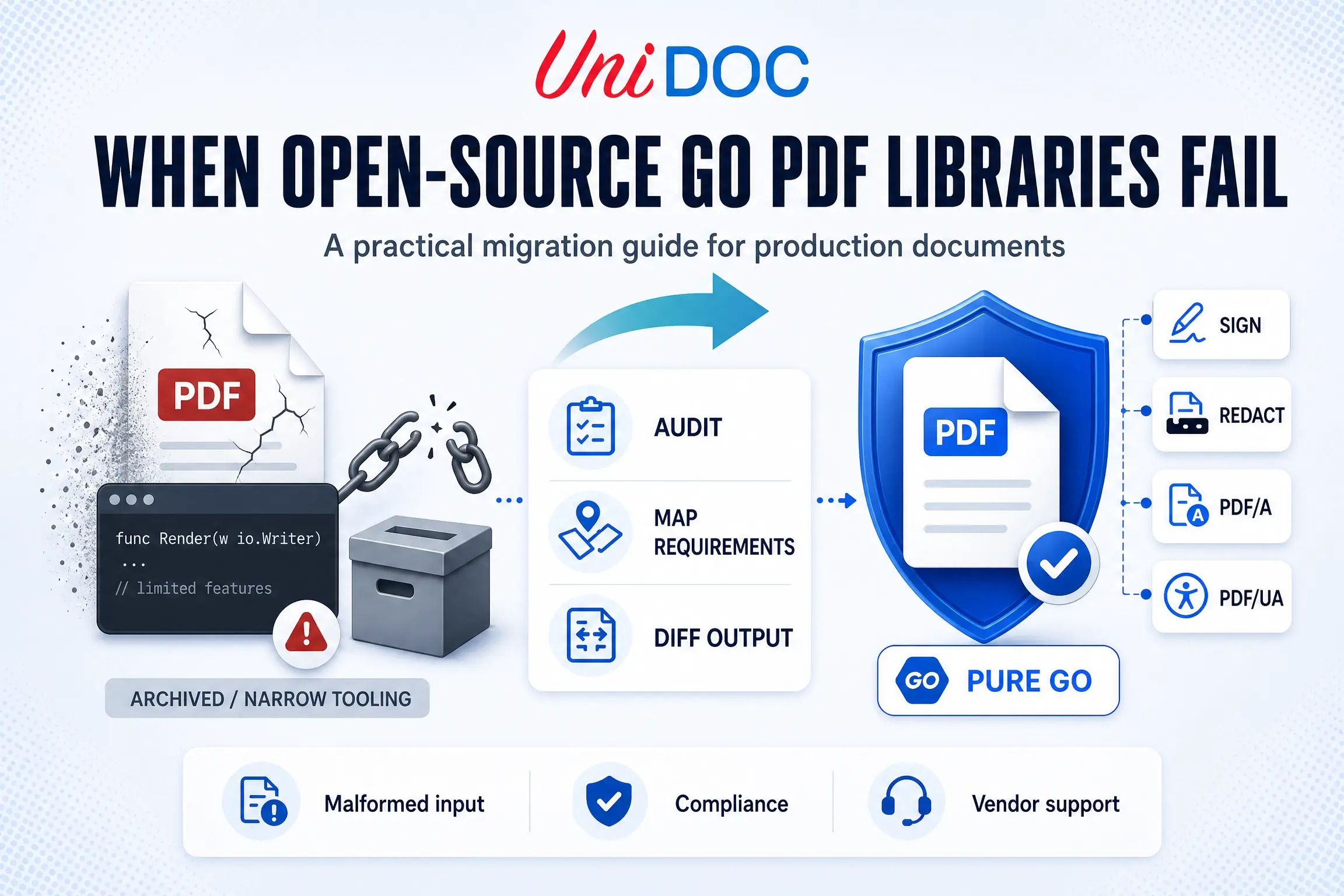
Building a Go PDF capability is rarely a from-scratch effort. In practice, it means one of two things. Either you write your own handling on top of the Go standard library and implement the parts of the format you need as you go, or you wrap a free open-source package (pdfcpu, ledongthuc/pdf, or the archived gofpdf, for example) and extend it to cover the cases it misses.
Both are legitimate choices, and both are routinely underestimated, because the demo always works. Generating a clean one-page PDF or reading a well-formed file is a weekend project. The cost does not live in the happy path. It lives in everything the happy path ignores, and with PDF that list is very long.
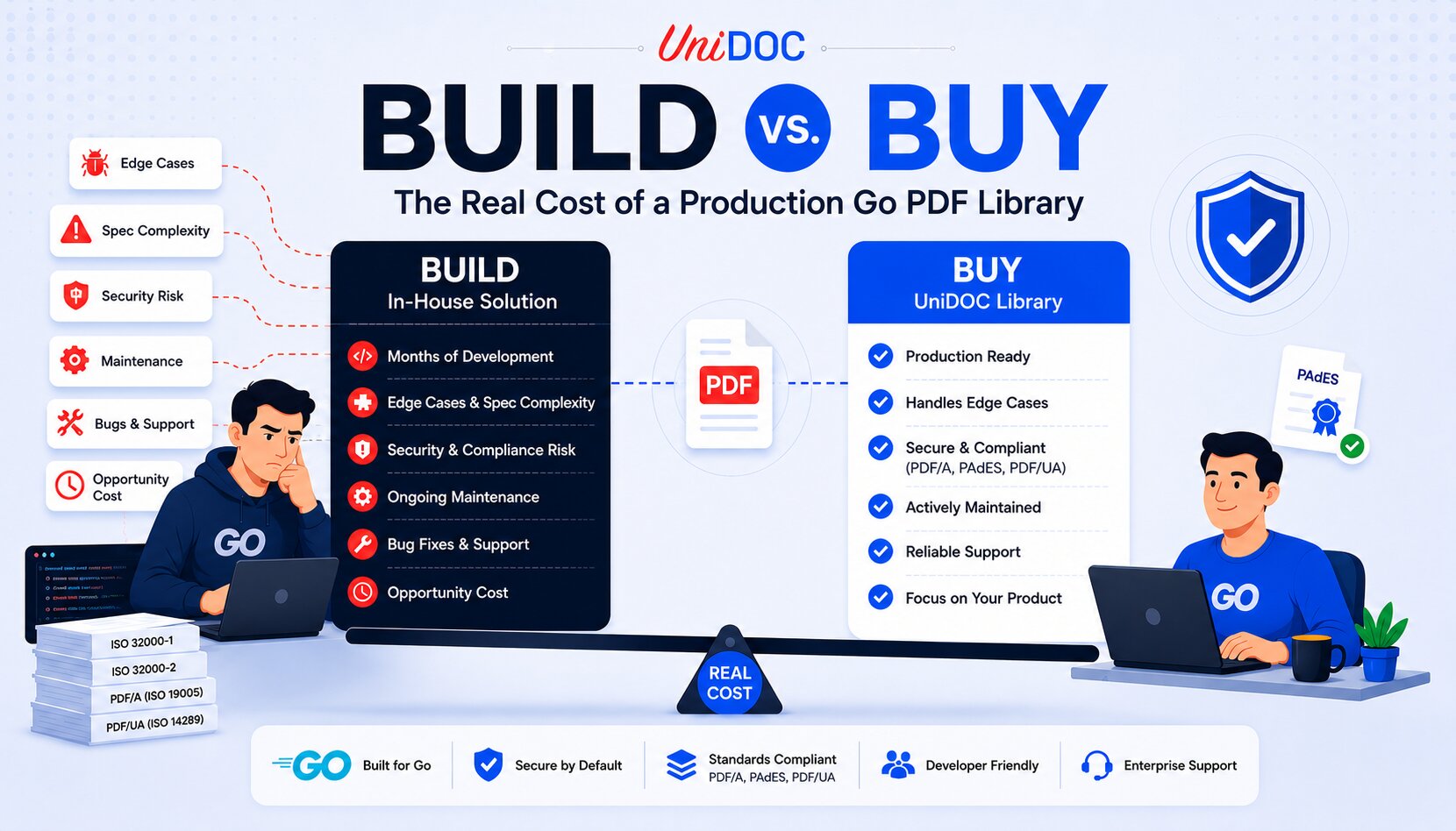
So, the honest framing is not “free versus paid.” It is a known, fixed cost versus an open-ended, variable one. A commercial license has a price you can put in a budget. The real cost of building includes the engineering time to handle edge cases, the production incidents those gaps cause, the security program you now own, and the migration you eventually run when a key maintainer moves on. The license has a number attached to it. Those other costs do not.
Why PDF is harder to build for than it looks
PDF is not a simple format that happens to be everywhere. It is a deep, decades-old specification with enormous surface area, and underestimating that surface area is the most common reason in-house PDF projects overrun.
The core specification, ISO 32000-1 (PDF 1.7), runs 756 pages. The current standard, ISO 32000-2 (PDF 2.0), runs to more than 900. That is before the related standards you will also need in a regulated setting: ISO 19005 for PDF/A archival compliance and ISO 14289 for PDF/UA accessibility, each with a separate specification with its own constraints.
Inside that surface area sit the areas that quietly consume engineering months:
- Fonts and text encoding. Type 3 fonts, CIDFonts, and the ToUnicode mappings required for reliable text extraction are genuinely intricate. Getting text out of a PDF correctly is a far harder problem than putting it in.
- Encryption and permissions. Several encryption revisions and permission models that must be implemented exactly, or you risk silently exposing data.
- Digital signatures. PAdES-compliant signing and validation, certificate chains, and timestamping, all table stakes for any document that carries legal weight.
- Malformed input. The files your users upload do not match the spec. Legacy exporters, scanner firmware, and third-party generators all produce PDFs that bend or break the rules. A library that has only seen clean documents falls over on one day of real traffic.
None of this shows up in a proof of concept. A production-grade PDF library is not the product of reading the specification once. It is the accumulated product of years spent fixing real documents that violate it.
The hidden costs of building
When teams compare build vs. buy, they tend to price the first development sprint and stop. That sprint is the smallest line item. The full picture looks like this.
Initial engineering time. A production-quality document capability is not a two-week task. Build timelines for non-trivial software components routinely run from six to eighteen months. Two senior Go engineers for a single quarter are already six figures of loaded cost, before the library handles its first malformed file.
Ongoing maintenance, the cost nearly everyone underestimates. This is where the math turns against you. Across the software industry, maintenance consistently accounts for somewhere between 50 and 80 percent of a system’s total cost of ownership, a range long documented in software maintenance research and reflected in the international maintenance standard, ISO/IEC 14764. Post-launch work often costs several times the original build. A PDF library is never finished. New document variants, spec revisions, and edge cases arrive continuously. You are not shipping a feature. You are adding a permanent line to the engineering roadmap.
Security ownership. Build it and you own its security program: CVE tracking, vulnerability response, dependency auditing, and patching, indefinitely. When a vulnerability surfaces in code you wrote, there is no vendor SLA behind you. There is only your on-call rotation.
Opportunity costs. Every engineer-month spent maintaining PDF internals is a month not spent on your product. Unless document processing is your product, that is effort poured into infrastructure that does not set you apart.
Key-person risks. In-house document code tends to live in one or two engineers’ heads. When they leave, the knowledge of why each edge case is handled in a certain way leaves with them, and you inherit a fragile system underneath a revenue-critical workflow.
There is also the modern objection that AI can simply patch issues as they appear. AI can generate a plausible fix for the narrow case you show it, but it cannot know whether that fix is safe across every document structure the library handles. A patch that passes your test file can quietly corrupt a different code path for a different customer document. Correct fixes need deep knowledge of the codebase and testing against a real-world document corpus, which is exactly the asset you lack when you build from scratch.
A realistic total cost of ownership comparison
The decision should be run over three to five years, not year one. The option that looks cheaper at signing is frequently the more expensive one over the life of the system.
| Cost factor | Build in-house | Buy a commercial library |
|---|---|---|
| Upfront cost | High, months of senior engineering time | Predictable license fee |
| Time to production | Six to eighteen months for a real capability | Days to weeks |
| Edge-case coverage | Starts at zero, grows only as you hit failures | Years of real-world coverage on day one |
| Ongoing maintenance | Library maintenance is 50 to 80 percent of TCO, and it is all yours | Library maintenance handled by the vendor |
| Security and CVE response | You own it, with no external SLA | Vendor-tracked and SLA-backed |
| Opportunity cost | High, engineers pulled off your core product | Low, engineers stay on differentiating work |
| Cost predictability | Variable and open-ended | Known and budgetable |
The pattern is consistent: building looks cheaper at signing and grows more expensive every quarter after.
When building is the right call
Buying is not always the answer, and a credible framework has to say so. Writing your own Go PDF handling makes sense in three cases:
- Documents are your core product. If your PDF engine is the thing customers pay for, owning it outright is a real strategic advantage.
- Your requirements are narrow and stable. A single, simple output that will not grow in scope, where the long tail of PDF complexity never reaches you.
- You have the sustained capacity to own it. Not just the initial build, but the maintenance, security, and edge-case burden indefinitely.
If all three hold, build. The honest test is the one every build-vs-buy framework converges on: is this capability core intellectual property, and are we the best-positioned team to build and sustain it? For most organizations, document handling is mission-critical but not a differentiator. It must work flawlessly, yet no customer signs because of how you generate a PDF. That is the textbook profile for buying.
When buying wins
For enterprise Go teams where documents are business-critical but not the core product, a commercial library is almost always the lower-risk, lower-cost path. The case for buying a Go-native library comes down to four things.
You inherit years of edge-case coverage immediately. UniPDF has resolved real-world document failures in production for roughly a decade, coverage across the malformed, non-compliant, and unusual files enterprise systems actually produce. That is the one asset you cannot build quickly, because it only accumulates over time.
It fits the Go stack without architectural compromise. The most established document libraries are written in C++ (Apryse, formerly PDFTron) or Java and C# (iText), and reach Go only through REST sidecars, containers, or language wrappers. That means a foreign runtime in your deployment pipeline and a dependency tree your security team cannot fully audit. UniPDF is pure Go: no JVM, no CGO, no wrappers. It deploys as part of your Go binary, runs wherever Go runs, and exposes its full dependency tree in go.sum. In a regulated environment, that is often the deciding factor in security review rather than a nice-to-have.
You keep deployment control and data sovereignty. Documents are processed locally, inside your own infrastructure. Offline license keys are available with zero network calls, by architecture rather than policy, which makes air-gapped and compliance-bound environments straightforward instead of exceptional.
You get a vendor you can put in a contract. UniDoc is a registered commercial company, not an anonymous open-source maintainer. That gives you a named vendor for your SBOM, a real entity for vendor risk assessment, public vulnerability tracking at security.unidoc.io, an SLA when something breaks, and support from the engineers who built the library. Enterprises including Shell, Johns Hopkins, Pitney Bowes, and Smartsheet rely on it for exactly that accountability.
The clearest way to see the difference is the hard problem from earlier: getting text out of a PDF, with all the font and encoding complexity that implies. In-house, that is months of work. With a mature library, it is a few lines:
package main

import (
    "fmt"
    "os"

    "github.com/unidoc/unipdf/v4/common/license"
    "github.com/unidoc/unipdf/v4/extractor"
    "github.com/unidoc/unipdf/v4/model"
)

func init() {
    // Metered key from cloud.unidoc.io, or an offline key for air-gapped environments
    license.SetMeteredKey(os.Getenv("UNIDOC_LICENSE_API_KEY"))
}

func extractText(path string) (string, error) {
    f, err := os.Open(path)
    if err != nil {
        return "", err
    }
    defer f.Close()

    r, err := model.NewPdfReader(f)
    if err != nil {
        return "", err
    }
    page, err := r.GetPage(1)
    if err != nil {
        return "", err
    }

    ex, err := extractor.New(page)
    if err != nil {
        return "", err
    }
    return ex.ExtractText()
}

func main() {
    text, err := extractText("invoice.pdf")
    if err != nil {
        panic(err)
    }
    fmt.Println(text)
}
The font decoding and encoding logic that would dominate a from-scratch build is the part you never see here, because it is the vendor’s burden, not yours. Runnable versions of every major use case live in the UniPDF examples repository.
Go PDF library build vs. buy: a decision checklist
Run your decision against these questions before committing engineering resources.
- Is document processing a competitive differentiator for us, or supporting infrastructure? If it is infrastructure, lean toward buying.
- What is the five-year total cost of building, including maintenance, security, and opportunity cost, rather than just the initial sprint?
- Can we absorb the full PDF specification surface (fonts, encryption, signatures, malformed input, PDF/A, PDF/UA) and keep absorbing it as the standard evolves?
- Who owns CVE response and security patching if we build, and is that sustainable indefinitely?
- Does our deployment require local or air-gapped processing, and does a candidate library support that natively?
- Can we name a vendor in our SBOM and risk assessment, or are we depending on an anonymous maintainer for a revenue-critical workflow?
- What happens if the engineer who built these leaves, or the free library we wrapped is abandoned?
If your answers point toward infrastructure rather than differentiation, broad and growing scope, and enterprise accountability requirements, the build-versus-buy math has already made the decision for you.
Conclusion
The Go PDF library build vs. buy decision is not really about license fees. It is about where you want your team’s time and risk of living. Building keeps full control but quietly commits you to the entire depth of the PDF specification, a permanent maintenance line, and a security program you now own, all open-ended and easy to underestimate. Buying turns that into a predictable number and keeps your engineers on the work that sets your product apart.
For enterprise Go teams, the call usually comes down to one test: documents must work flawlessly, but they are rarely what you compete on. When that is true, a Go-native, commercially supported library is the lower-cost, lower-risk choice over any realistic horizon.
If you are evaluating a production Go PDF library, you can start a free trial or read the documentation, or request an offline trial key for air-gapped and regulated environments at unidoc.io/free-trial.
Frequently asked questions
Is it cheaper to build or buy a Go PDF library?
Over year one, building can look cheaper because the only visible cost is engineering time. Over three to five years, buying is usually cheaper, because maintenance, security ownership, and edge-case handling typically account for most of the lifetime cost of an in-house library.
How long does it take to build PDF handling in-house?
A non-trivial, production-grade capability generally takes six to eighteen months, and it is never truly finished. The PDF specification spans well over 900 pages across PDF 2.0 alone, plus separate PDF/A and PDF/UA standards, and new edge cases arrive continuously.
When does building your own PDF library make sense?
When document processing is your core product and a genuine differentiator, your requirements are narrow and stable, and when you have dedicated engineering capacity to sustain the maintenance and security burden. If document handling is mission-critical infrastructure rather than your differentiator, buying is the lower-risk choice.
Can I just use a free open source Go PDF library?
You can, but “free to install” is not “free to operate.” Open-source libraries vary widely in edge-case coverage, often lack a security SLA, and give you no accountable vendor to stand behind them in a risk assessment, which matters for regulated and enterprise deployments.